Work Automation Guide: Finding Tasks Easy and Hard to Automate with AI, a Checklist, and Real Cases
1. What Is Work Automation?
Work automationmeans using technology to perform repetitive or rule-based tasks automatically. It mainly relies on software, robotic process automation (RPA), chatbots, and scripts and the like. This reduces the simple tasks people have to perform directly, allowing them to focus on more important work.
Among these, AI work automation means using artificial-intelligence technology to handle tasks automatically. With the advancement of AI technology, AI agents and the like have emerged, and the pace is accelerating even further.
Representative examples of work automation
Email processing
Instead of checking and sorting hundreds of emails every morning, AI automatically gauges their importance and files them into the right folders.
Customer service
An AI chatbot responds 24/7 to repetitive inquiries like "When will my order arrive?"
Data entry
Instead of entering dozens of receipts into Excel one by one, AI organizes the data automatically just from a photo.
Report writing
AI automatically generates the weekly performance report and even extracts key insights.
2. WhyWork Automation Is Needed
Office workers spend an average of three hours a day on repetitive tasks. AI work automation helps employees redirect that time to more productive work.
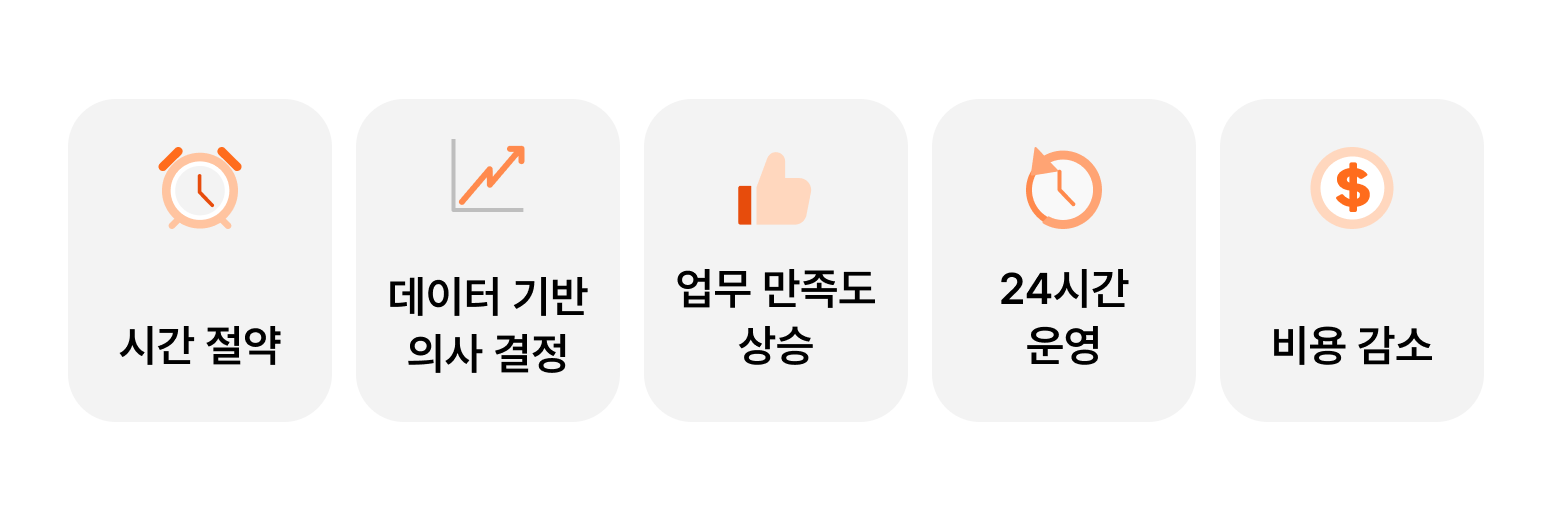
5 Reasons You Need AI Work Automation
1) Time savings
While AI handles simple, repetitive tasks, you can focus on what matters more.
Case: AI automatically completes the weekly performance report, from gathering data to creating graphs.
2) Cost reduction
Efficient task processing can significantly cut operating costs.
Case: AI handles, in real time, the order-data entry that 10 people used to spend two hours a day on.
3) Higher job satisfaction
Free from tedious, repetitive work, employees can exercise their expertise and creativity.
Case: Automatic sorting of customer emails lets agents focus more on urgent inquiries.
4) 24-hour operation
You can provide better service to customers without constraints of time or place.
Case: An AI chatbot resolves simple inquiries like "order tracking" and "return requests" even in the middle of the night.
5) Data-driven decision-making
Automatically collected data lets you make better decisions.
Case: AI analyzes patterns in customer inquiries to identify and address frequent complaints in advance.
3. Tasks Easy and Hard to Automate with AI
1) 5 tasks that are easy to automate with AI
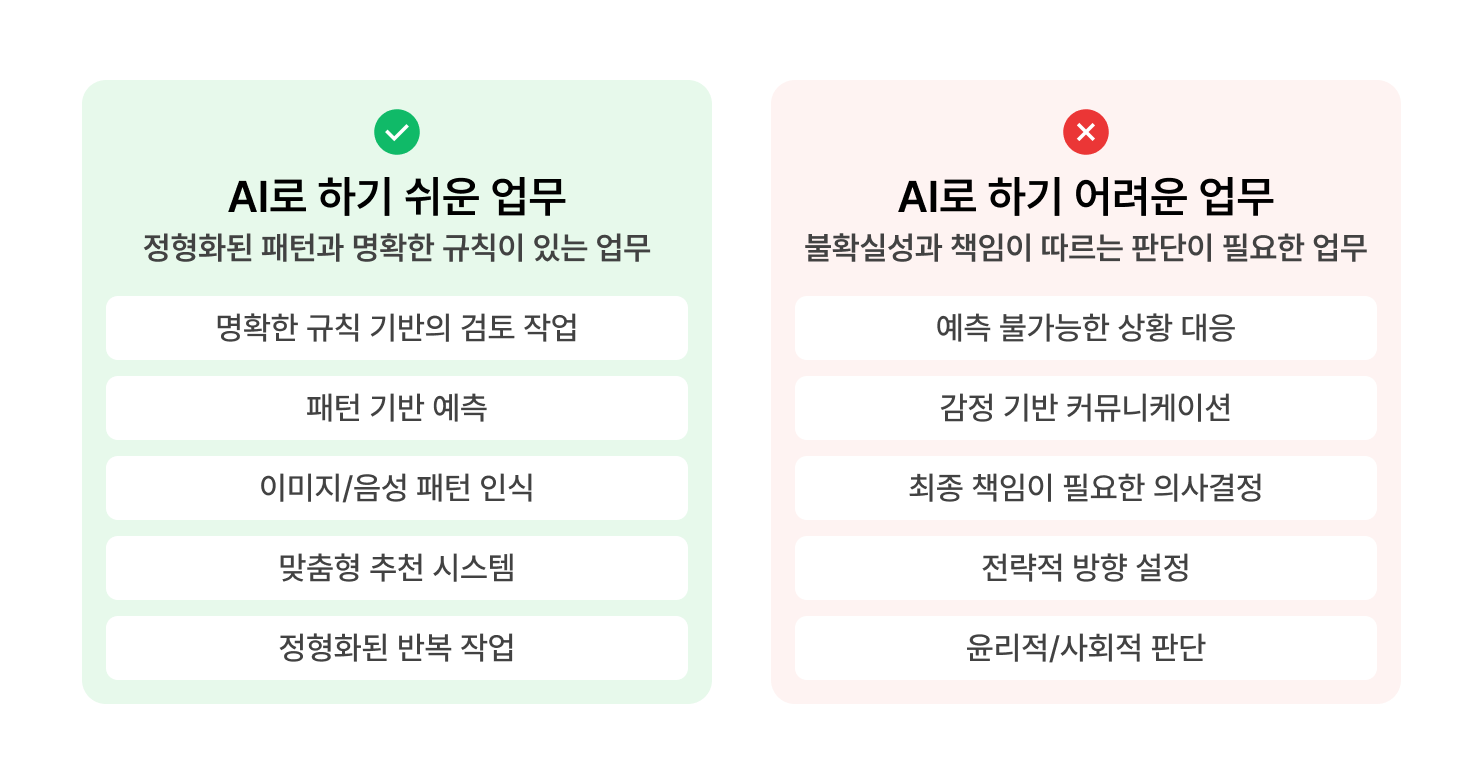
AI is well suited to handling tasks that have clear inputs and follow regular patterns. Because it produces results based on the data it's given, it's strong at analyzing and predicting structured data such as numbers and text.
(1) Review tasks based on clear rules
AI works most effectively when given clear rules and criteria. It therefore excels at review tasks with clear judgment standards, such as "correct/incorrect." Unlike humans, it can process large volumes of data with consistent standards and without fatigue.
Examples: reviewing documents for errors, checking contract compliance, quality inspection
(2) Pattern-based prediction
AI learns patterns from past data and predicts the future. It can find even subtle patterns that humans struggle to spot, enabling accurate forecasts. Moreover, the more new data accumulates, the more accurate its predictions become.
Examples: sales forecasting, demand forecasting, trend forecasting
(3) Pattern-recognition tasks such as image and voice recognition
AI is excellent at extracting and classifying features from vast amounts of data. Because it recognizes patterns through large volumes of training data, it can handle repetitive image or voice analysis tasks more accurately and quickly than humans.
Examples: facial recognition, voice-command recognition, medical-imaging analysis
(4) Personalized recommendation systems
AI analyzes preference patterns based on user data. Because it can process enormous amounts of user-behavior data, it can deliver personalized recommendations in real time. It can also analyze the patterns of similar users for even more accurate recommendations.
Examples: e-commerce product recommendations, content recommendation systems, personalized ad recommendations
(5) Other easily automatable tasks
AI is specialized in repetitive tasks with standardized inputs and outputs. It therefore shows high efficiency in tasks that process data and generate results according to set templates or formats.
Examples: generating financial reports, simple data entry and classification tasks, simple-response customer service
2) 5 tasks that are hard to automate with AI
Because AI operates based on data, it shows limitations in two broad areas.
1) Areas requiring human decisions and accountability: tasks where human insight and responsibility are essential, such as decision accountability, strategy formulation, and ethical judgment
2) Areas with insufficient data or no patterns: tasks where it's hard to find standardized patterns, such as responding to unpredictable situations and emotion-based communication
(1) Responding to unpredictable situations
AI can only respond within the scope of the data it has learned. For new types of problems or unexpected situations, it cannot offer appropriate solutions. It is not suited to tasks that require judging situations in real time and responding flexibly.
Examples: crisis management, emergency response, handling unexpected complaints
(2) Emotion-based communication
AI is limited in understanding the depth and context of emotions. It struggles to grasp the other party's emotional state and respond appropriately. It is especially weak at picking up on subtle emotional changes or hidden intentions.
Examples: critical negotiations, mediating sensitive conflicts, advanced customer service
(3) Decisions requiring final accountability
AI can make data-based suggestions, but it cannot take responsibility for the final decision. In particular, important decisions affecting the organization and its people require responsible human judgment.
Examples: HR evaluations, investment decisions, organizational restructuring, decisions to halt a project
(4) Setting strategic direction
AI can provide insights through data analysis, but it has limits when it comes to formulating long-term strategy that considers a company's vision and values. Strategic judgments that determine an organization's future require the insight and responsibility of executives.
Examples: entering a new business, establishing a corporate vision, M&A decisions
(5) Ethical/social judgment
AI cannot comprehensively weigh ethical values or social impact. In particular, human responsibility and judgment are essential when assessing the social ripple effects of a company's decisions or setting moral standards.
Examples: establishing customer-data usage policies, reviewing the impact of automation on employee jobs, preparing crisis-response measures
4. 8 Work-Automation Cases by Industry
1) Education
An education service with revenue of 10–20 billion won introduced "personalized learning-content recommendations."
By adopting AI, it analyzes learners' interests, learning goals, and learning patterns, and automatically recommends appropriate educational content based on this.
Learners can easily browse the content they want and continue learning efficiently in a personalized environment. Based on learning data, the AI continuously refines learning paths to deliver the best educational experience.
2) Marketing
An ad agency with revenue of 50–70 billion won introduced "automated ad-image generation."
It aimed to reduce designers' manual work by automatically generating the images needed for various ad campaigns.
The AI generates images to fit specific themes and styles and can adjust them to the required size and format.
3) Distribution & Logistics
A distributor with revenue of 10–20 billion won introduced "order-quantity forecasting."
The AI comprehensively analyzes past sales data, seasonal factors, market trends, and more to suggest the right order quantity.
By continuously improving forecast accuracy and reflecting changing consumption patterns, it helps the company secure the right amount of inventory at the right time.
4) Manufacturing
A manufacturer with revenue of 20–30 billion won introduced "process-anomaly detection."
An AI-based process-anomaly detection system monitors and analyzes data in real time, enabling it to detect small changes or warning signs in advance. This improves process stability and reduces unnecessary equipment failures and maintenance costs.
5) Commerce
An e-commerce platform serving sellers who offer a wide range of products introduced "category automation."
An AI-based automatic category-classification system analyzes data such as a product's title, description, and images to automatically assign the appropriate category.
This lets sellers reduce errors that occur when selecting categories manually and streamline the product-registration process.
6) Content

Dingo, a media company that produces trendy digital content, introduced "short-form generation."
Using AI, it automatically extracts highlight segments from existing video content and generates short-form videos according to templates.
This cut production costs by about 35% and shortened production time, enabling more content to be produced efficiently.
7) Fashion & Beauty
A cosmetics manufacturer with revenue of 5 trillion won introduced "product-image refinement."
It set out to build a system that automatically refines product images using AI.
The AI adjusts the resolution and color of images to generate optimized visuals.
8) Platform
A senior-focused platform with revenue of 50–100 billion won introduced "product-upload automation."
The AI enters product information and automatically generates images and descriptions, easing the workload of the operations team and introducing new products to customers in less time.
This not only improves operational efficiency but also accelerates the launch speed of new products, strengthening competitiveness.
You can find more AI work-automation cases in the latest AI case collection.
5. Cautions and a Checklist for Work Automation
AI is a powerful tool for boosting a company's efficiency, but successful work automation requires a careful approach. There are three main cautions.
3 Cautions When Adopting AI Work Automation
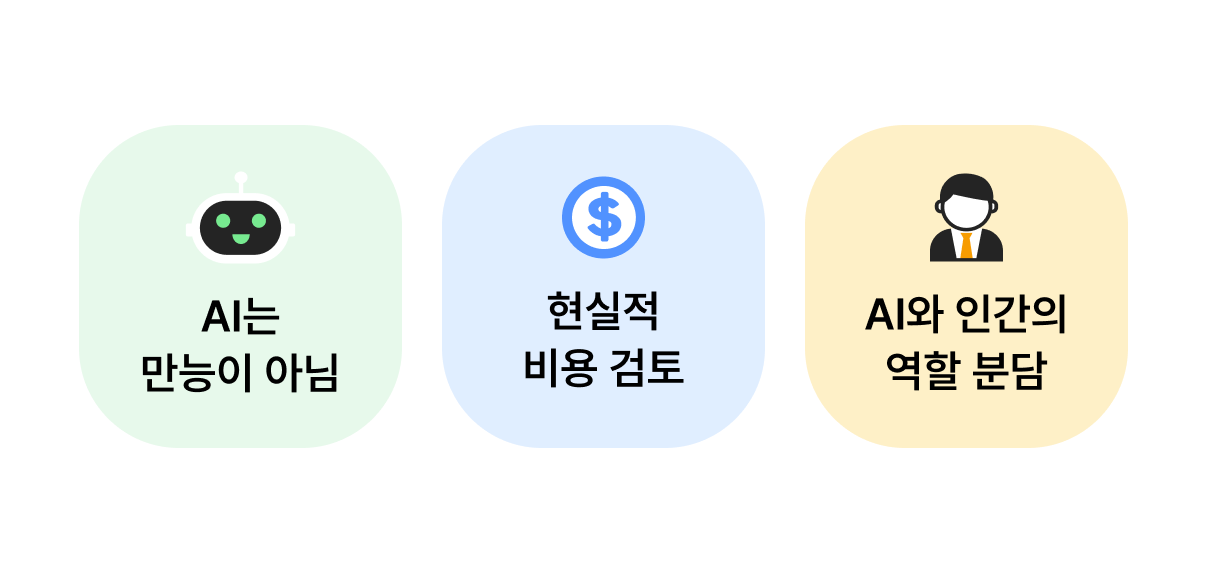
Caution 1) AI is not a cure-all
Keep in mind that AI is not a cure-all. AI is excellent at automating repetitive tasks and providing data-based insights, but it shows limits in areas that require human intuition and accountability. When adopting AI, therefore, you must carefully choose which tasks to automate.
Caution 2) A realistic cost review is needed
You also need realistic cost considerations. Adopting AI requires not only initial setup costs but ongoing investment in maintenance, employee training, data security, and more. Rushing in can end up only adding to the cost burden.
Caution 3) Consider an appropriate division of roles between AI and humans
Most important is an appropriate division of roles between AI and humans. Remember that AI is a tool that complements humans rather than replaces them. You should redesign work so that AI handles standardized tasks while humans focus on strategic judgment and creative problem-solving.
A 6-Item Checklist
✅ Is the task to be automated suitable for AI?
✅ Is enough of the necessary data secured?
✅ Are the expected benefits clear relative to the adoption cost?
✅ Are data-security measures in place?
✅ Is an employee-training plan prepared?
✅ Are metrics set up for measuring results?
6. The 6-Step Work-Automation Process
Wondering where to start with AI work automation? Take it step by step with this proven six-step process.
The 6-Step AI Work-Automation Process
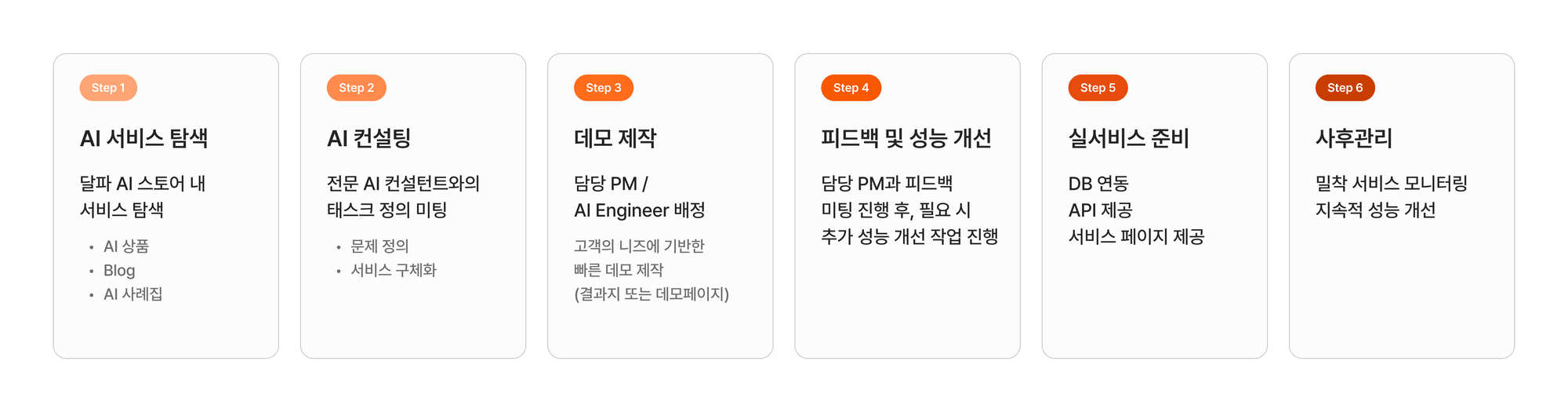
Step 1: Explore AI work-automation examples
See what tasks other companies automated with AI, along with real cases and results.
Step 2: AI consulting
Conduct AI consulting
Define the problem you want to solve
Clearly define the AI features you need and specify the technical requirements and scope of adoption.
Step 3: Demo creation
Create a custom demo version
Run a small-scale pilot project
Create a demo version and test it before actually adopting the AI. This takes 5 days to 2 weeks on average.
Step 4: Feedback and performance improvement
Analyze the pilot results
Identify and apply improvements
Gather input from frontline staff
Based on the demo test results, supplement the needed features and improve performance.
Step 5: Practical application
Decide the API spec and DB integration method
Finalize the update cycle and adoption schedule
Make the technical preparations for applying it to your live service. This takes 1 week to 1 month.
Step 6: Post-launch management
Monitor and improve performance
Update the model regularly
Resolve issues that arise during live-service operation and continuously improve performance.
For more details, check out Dalpha's 6-step AI development process.
7. The Future and Potential of Work Automation
AI work automation is becoming a necessity rather than a choice. As data-driven decision-making grows in importance, the role of AI that leverages data is expected to strengthen even further.
Evolving AI work automation
As more complex pattern analysis and prediction become possible, the scope of use will expand to customer service, quality management, risk analysis, and more.
A company's new competitive edge
Beyond improving efficiency, AI is a company's new competitive edge. With real-time data analysis, you can respond quickly to market changes; with personalized service, you can raise customer satisfaction; and with prediction, you can create business opportunities.
Collaboration between humans and AI
That said, as we saw earlier, don't forget that AI is still a tool that aids human judgment. While AI handles repetitive tasks, humans can focus more on their core roles, such as strategy formulation, creative problem-solving, and ethical judgment.
8. Work Automation: What's Possible for Your Company?
So far we've looked at everything from the concept of AI work automation to the development process and real cases. Every company has its own unique work environment and challenges to solve. Wondering which tasks to automate with AI, and where to start?
Just enter your company name and we'll recommend an AI solution.
See which AI solutions your company can use.
Dalpha Blog