
3 Ways to Use AI to Make Sales 10x Easier
Many sales reps still hunt for prospects by hand and send cold emails manually. This is exactly the kind of work where AI can deliver a huge boost in efficiency. We've put together real-world company examples to show how AI can streamline your sales process.
💡 Who this article is for
Anyone who wants to bring AI into their sales work
Anyone spending a lot of time on prospecting and research
Anyone who wants to automate their sales process
Use Case 1. Prospecting
Logging into LinkedIn every day to find prospects by hand is painful work. A lot of it can be automated.
How to use AI
1) Monitoring LinkedIn activity
Automatically detect posts and reactions containing specific keywords
Automatically analyze the role and company info of users who engaged
Automatically classify decision-makers and key players
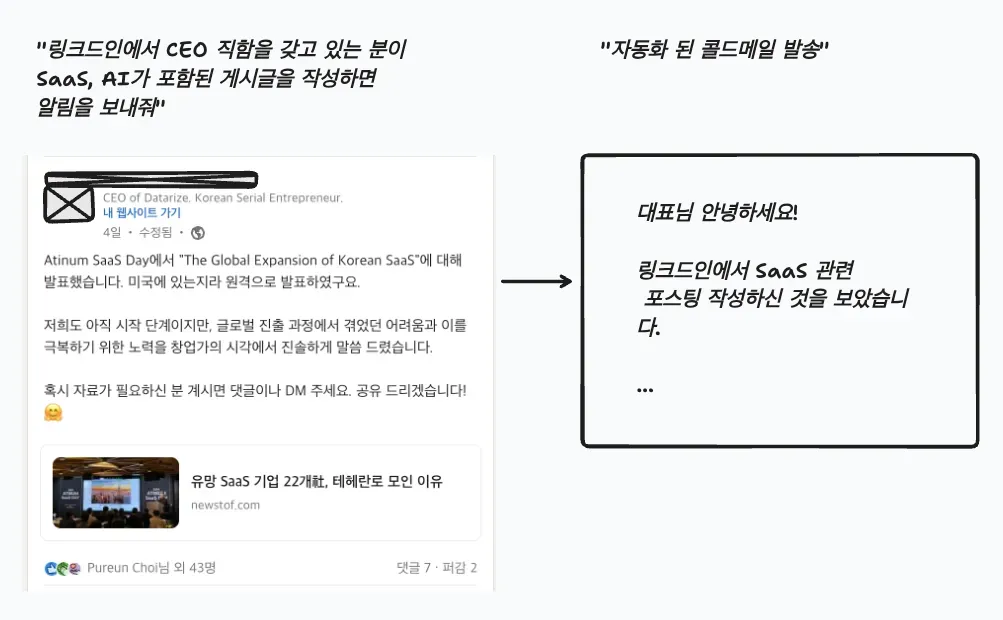
2) Analyzing hiring data with crawling
Real-time monitoring of job postings
Tracking changes in team size
Detecting the creation of new departments
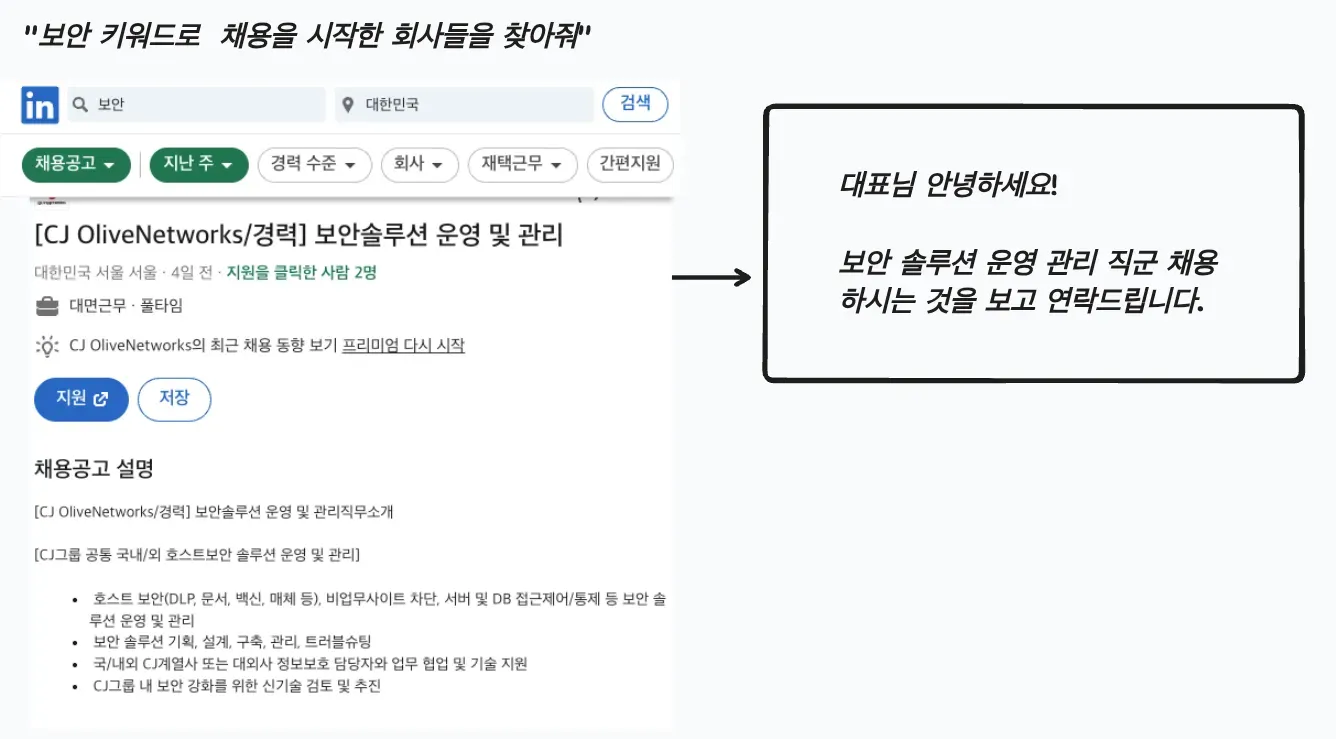
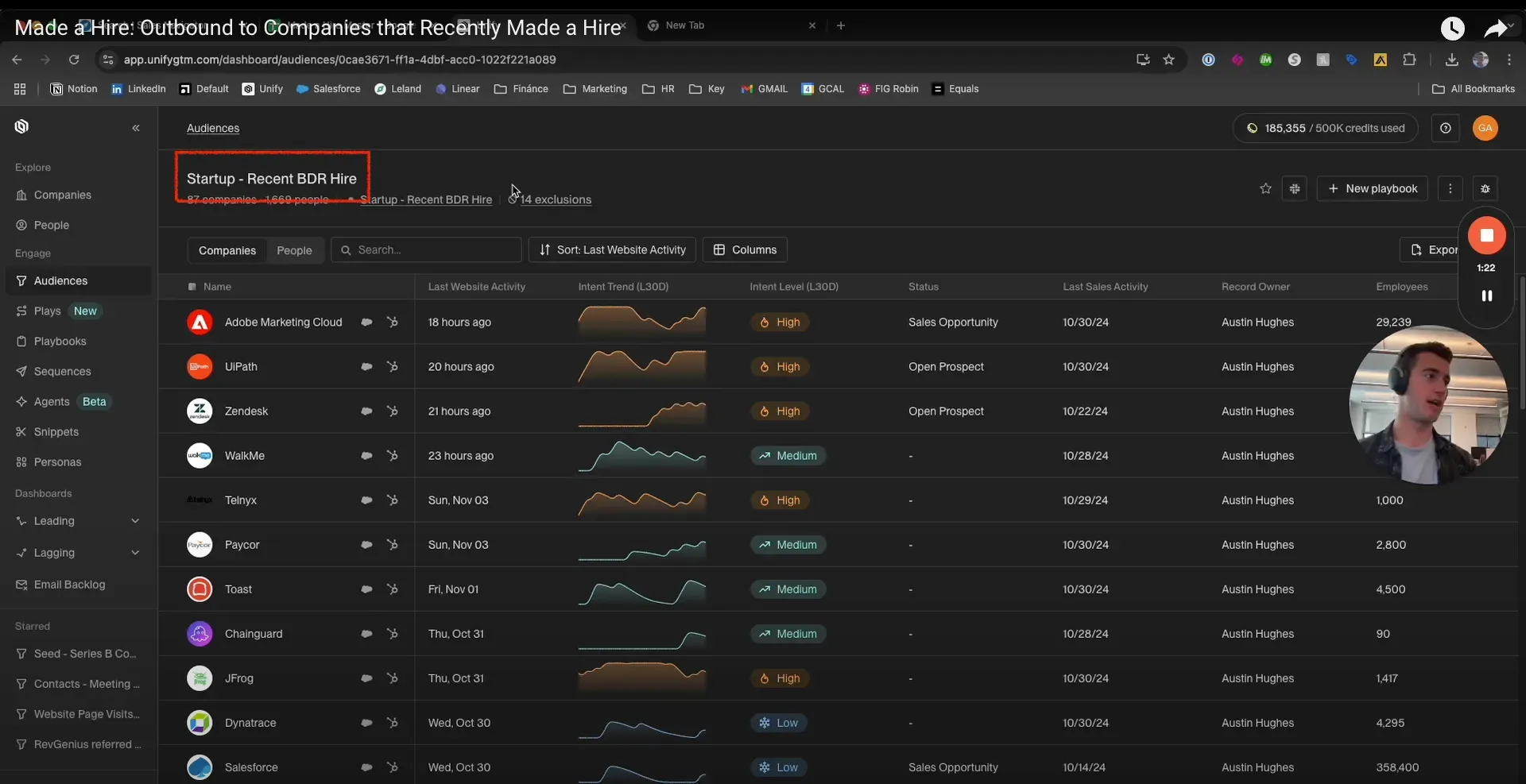
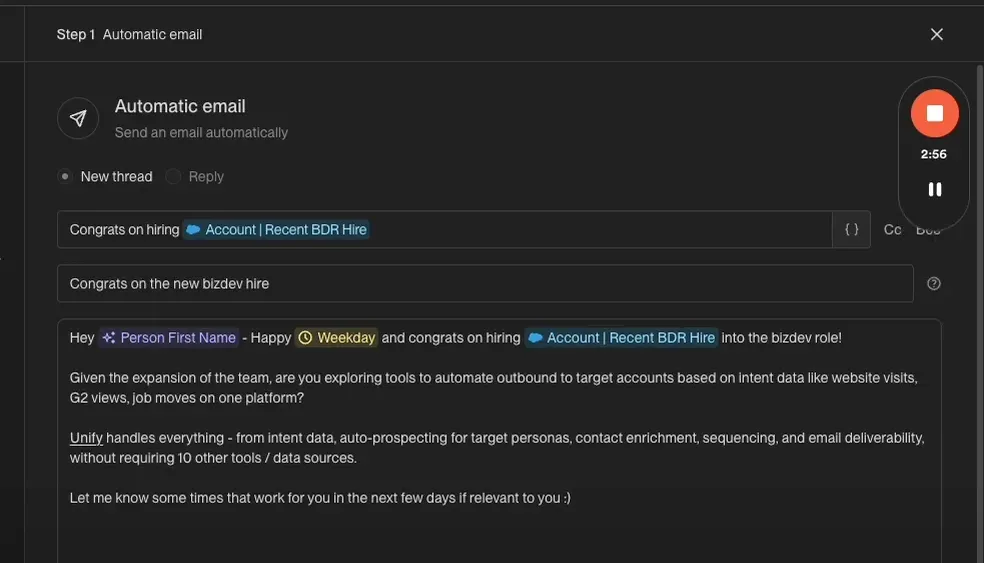
Hi XX! Congratulations on recently starting to hire for a BDR role!
If you're considering hiring BDRs, aren't you also looking for tools to automate outbound?
You can target based on intent data such as website visits, G2 reviews, and job changes on a single platform.
Unify handles everything—intent data, automated prospecting for target personas, contact enrichment, sequencing, email deliverability, and more—without 10 different tools/data sources.
If you're interested, let me know what time works for you over the next few days.
3) Building a prospect-company database with crawling
Building a DB of companies whose annual revenue exceeds a certain amount
Building a DB of companies that have won export awards
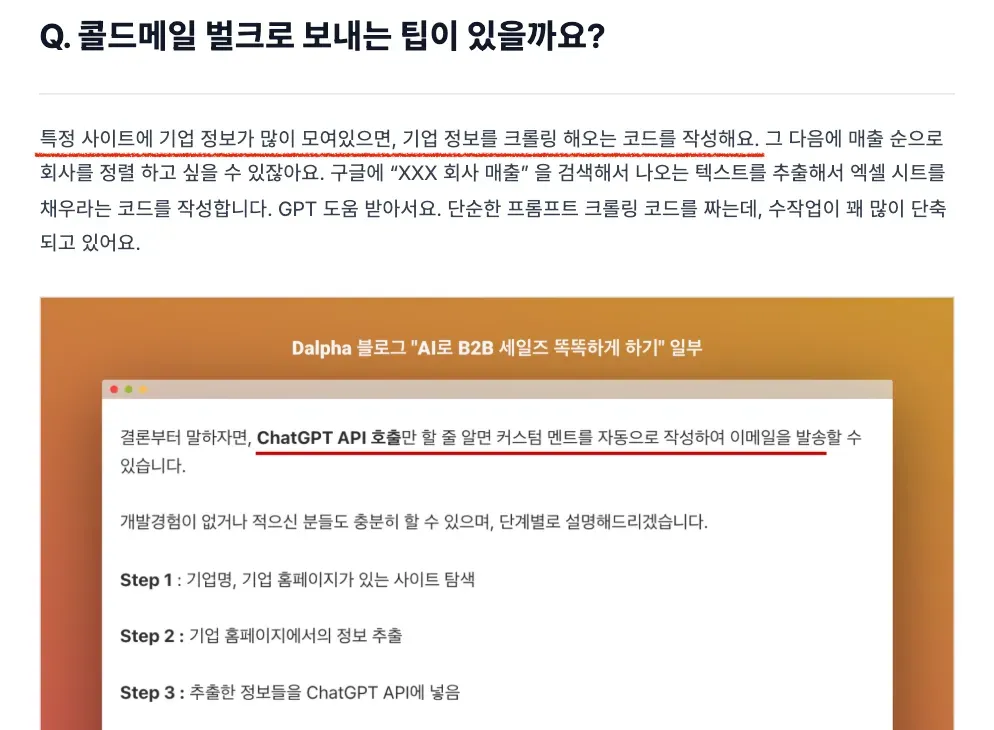
Use Case 2. Automating personalized cold emails
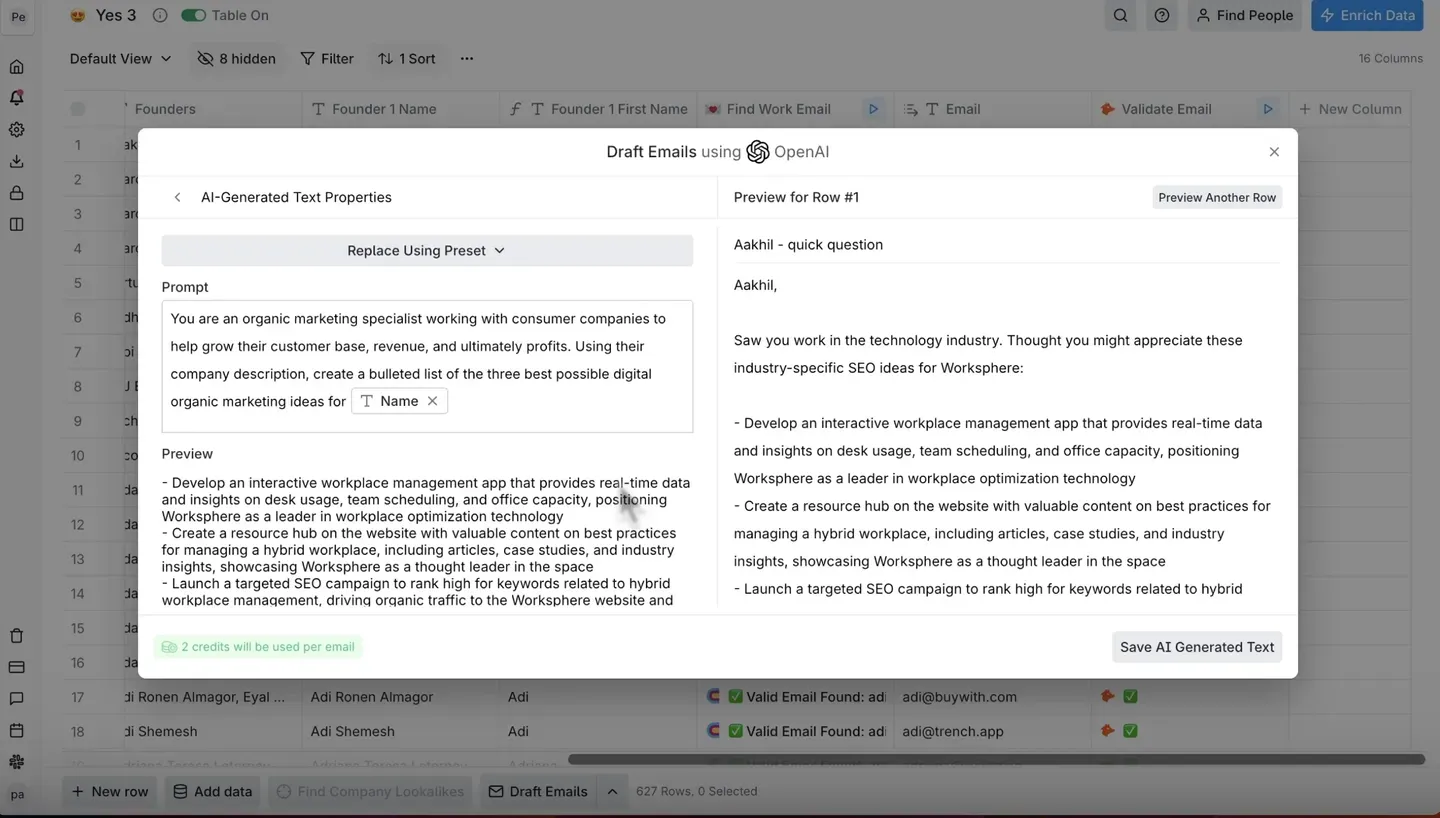
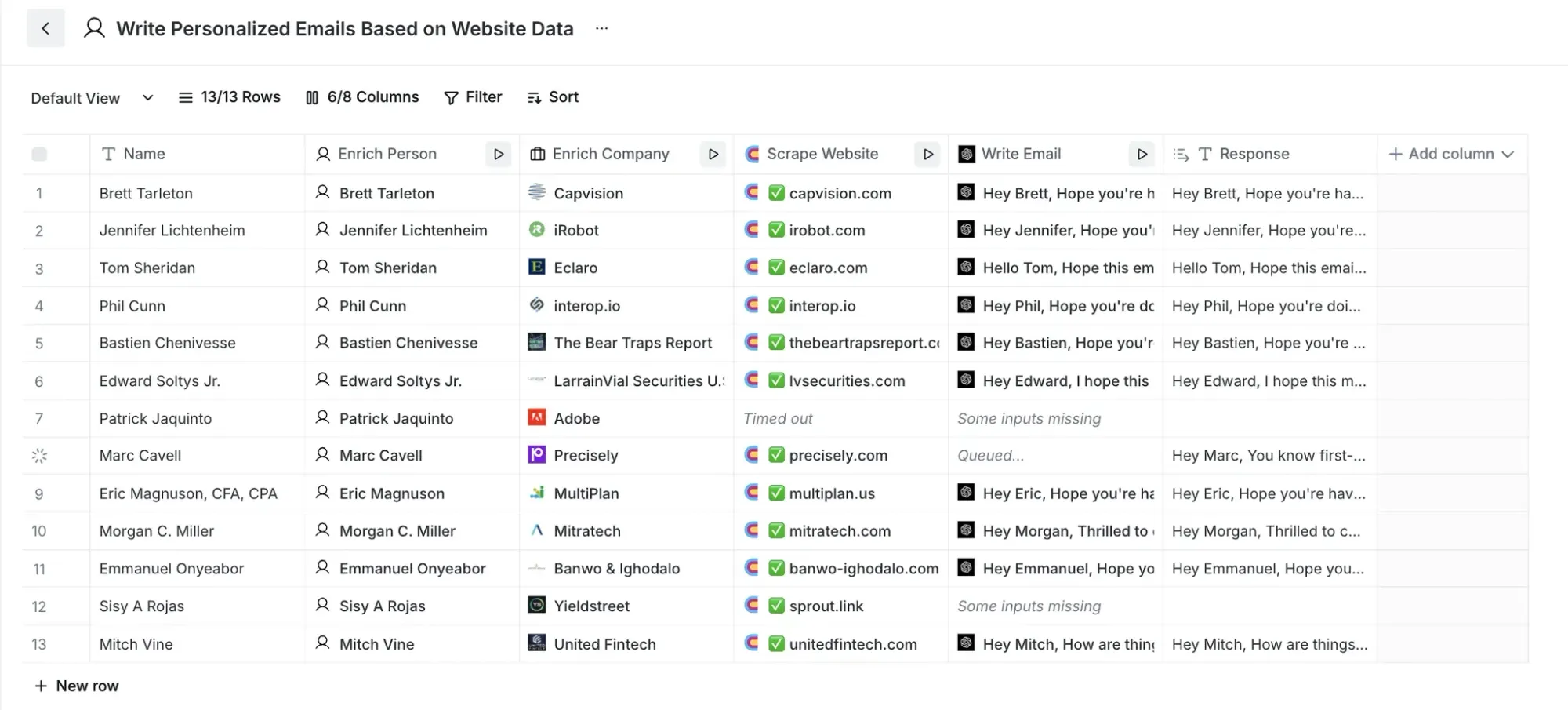
To send great cold emails, deep research on the recipient is essential. The problem is that researching each prospect one by one and writing personalized messages takes far too much time.With AI's help, you'll be able to send far more cold emails.
How to use AI
1) Automatically generating personalization points
Extracting a company's key challenges
Identifying the target customer base for a product/service
Monitoring recent news and milestones
Extracting data from company About pages
2) AI-based message optimization
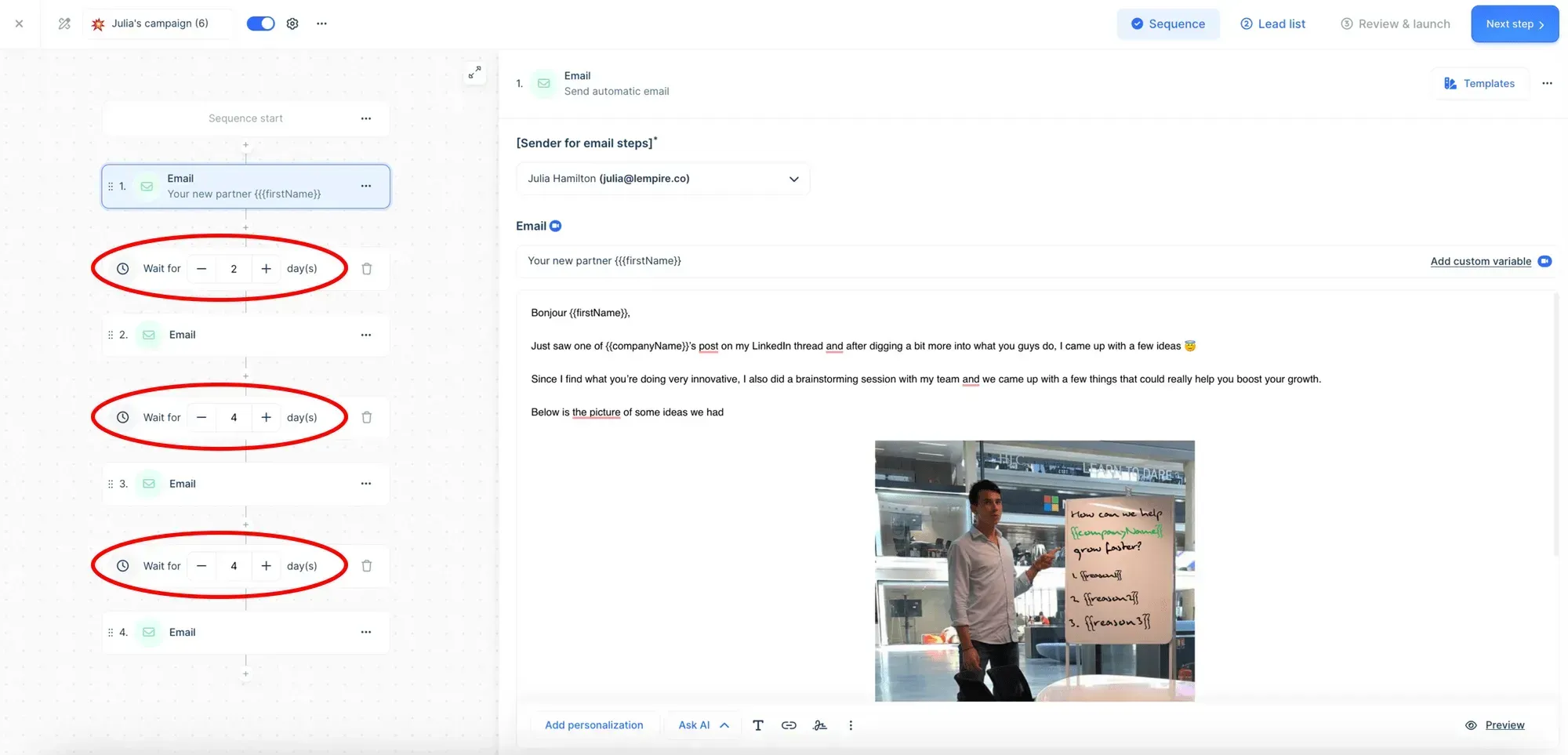
Learning high-performing phrasing by industry
Automatically applying A/B test results
Continuous improvement based on response-rate data
Analyzing send effectiveness by time of day
Use Case 3. Automatically updating CRM data
Most sales teams hold a huge number of customer contacts. The problem with having so many contacts is that you have to keep them constantly updated—especially in today's environment where people change jobs so often. Automatically updating this kind of database is another thing AI does well.
How to use AI
1) Automatically validating contact data
Verifying email validity in real time
Automatically cross-checking LinkedIn profiles
Validating company website data
Automatically cleaning up duplicate data
2) Automatically detecting changes
Monitoring job-change/promotion info
Tracking new email addresses
Detecting company-name/job-title changes
Identifying changes in org structure

<Promotion/Job-Change Scenario>
Existing data:
- Name: John Smith
- Title: Senior Sales Manager
- Company: TechCo
- Email: john@techco.com
Changes detected by AI:
- New title: VP of Sales
- New company: GrowthCorp
- New email: john.smith@growthcorp.com
<Company-Change Scenario>
Existing company name: ABC Technology
Change detected: ABC Tech (merger & acquisition)
Affected contacts: 15
Auto-update: company name, domain, org structure
3 things to know about using AI in sales
1. Focus on partial automation
Many teams fail by chasing perfect automation.
Automate repetitive, time-consuming tasks first
Handle the parts that need human judgment manually
Find the right balance between automation and manual work
2. Manage data quality
No matter how good the AI tool, bad data won't produce good results.
Regularly validate CRM data
Comply with privacy regulations
Clarify your data sources
3. Roll it out gradually
Don't try to change everything at once.
Start with a small pilot project
Clearly define your performance metrics
Continuously improve based on feedback
AI sales is easier than you think.
Dalpha can help you build AI sales.
A professional AI consultant will meet with you 1:1 to plan and build the right AI for your company's sales together.
Apply for a free AI consultation
Recommended reads

kyungsuk chon