Introducing Dalpha's AI Store!
Convenient AI adoption for businesses—get started now.
We recommend this for
- Those who have a problem they want to solve with AI but don't know where to start
- Those curious about how to bring AI Store products into their company
- Those who want to make the most of the AI Store
Estimated reading time: about 3–5 minutes
Welcome to Dalpha's AI Store ?
All kinds of AI technologies are emerging, but figuring out how to actually use AI at your own company feels overwhelming, right?
Dalpha is a team that innovates AX (AI Experience) to lower the barriers to AI adoption.
The AI Store lets you adopt AI easily, quickly, and conveniently,
so from here, we'll introduce how to use the AI Store!
Browse a variety of AI
The AI Store has around 30 AI products,
and it's expanding into many domains such as commerce, marketing, logistics, and education.
We'll show you how to find the AI you want and make use of the demos.
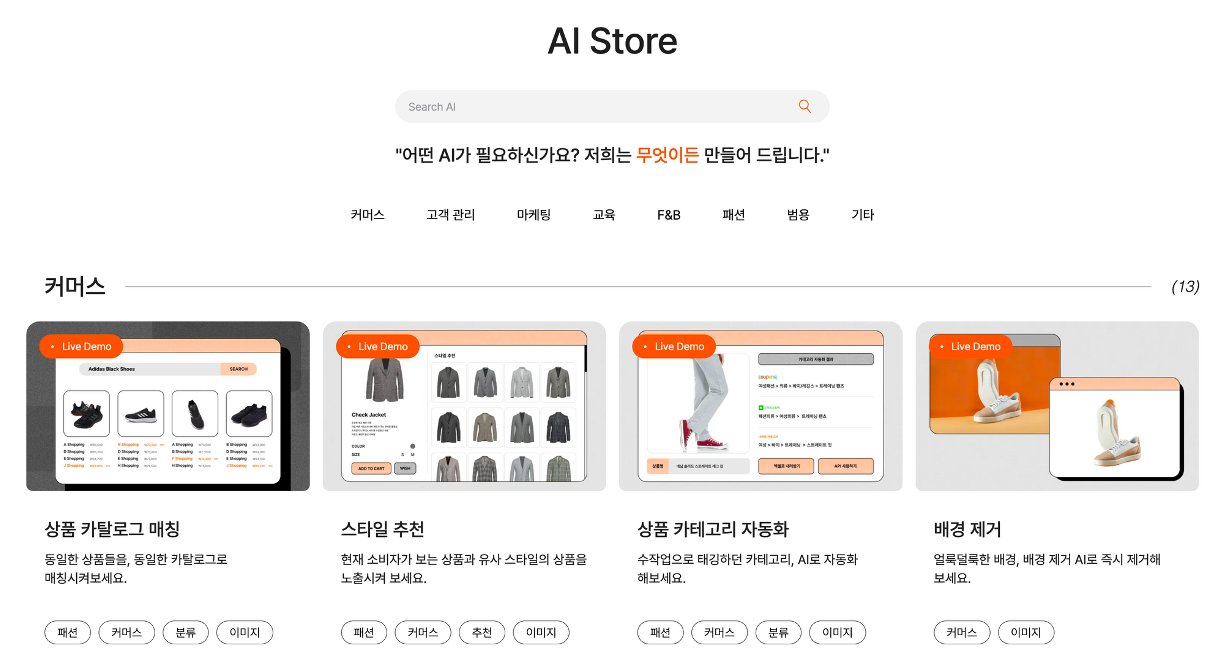
With Dalpha's AI Store, you can search for AI products, check their details, and even test them yourself.
Now, shall we go through it step by step?
Step 1. Search
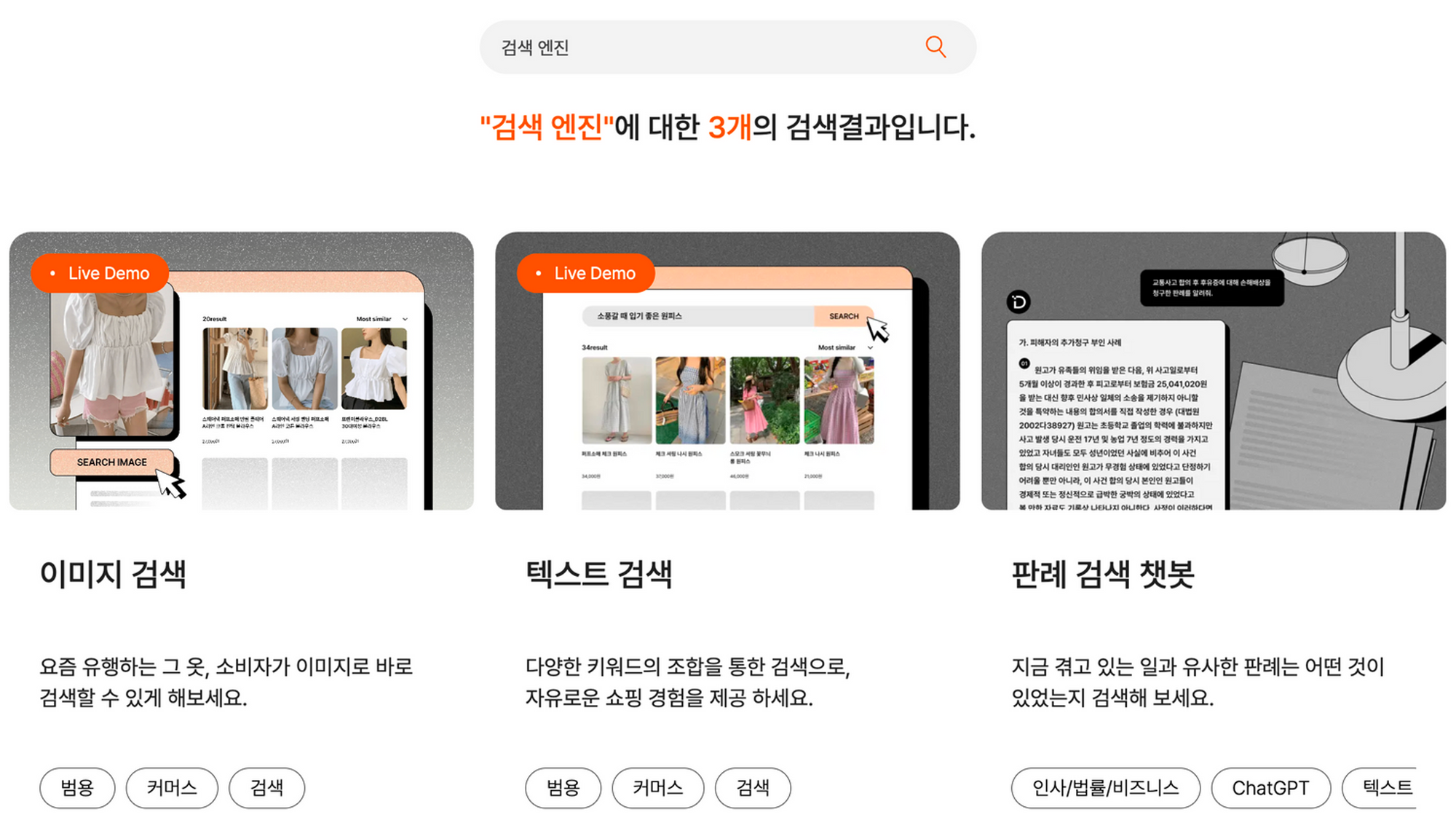
Is there an AI you need? Search for the AI you want in the search bar.
In the AI Store, you can easily search for and try out a variety of AI products.
Step 2. Check the AI's information
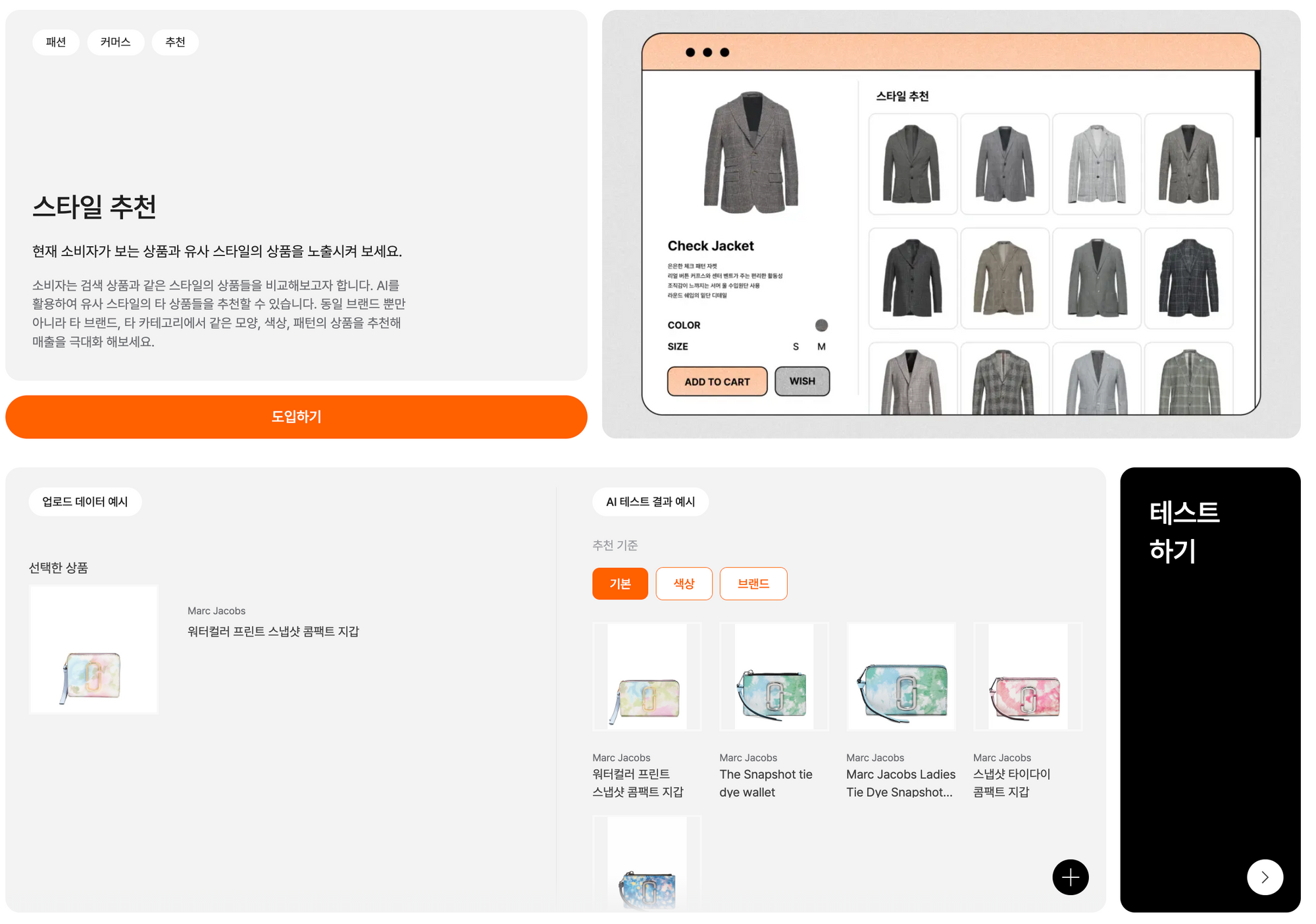
What does an AI product like 'Style Recommendation' actually do?
AI can feel somewhat difficult and complex, but once you actually use it and see the results for yourself, it becomes easy to grasp.
The 'Style Recommendation AI' finds products with styles similar to the one you select!
See for yourself what value adopting this kind of AI can bring.
Step 3. Try the demo test
This is the biggest advantage of Dalpha's AI Store! Test the AI yourself.
You can try a variety of inputs and experience firsthand what results come out.
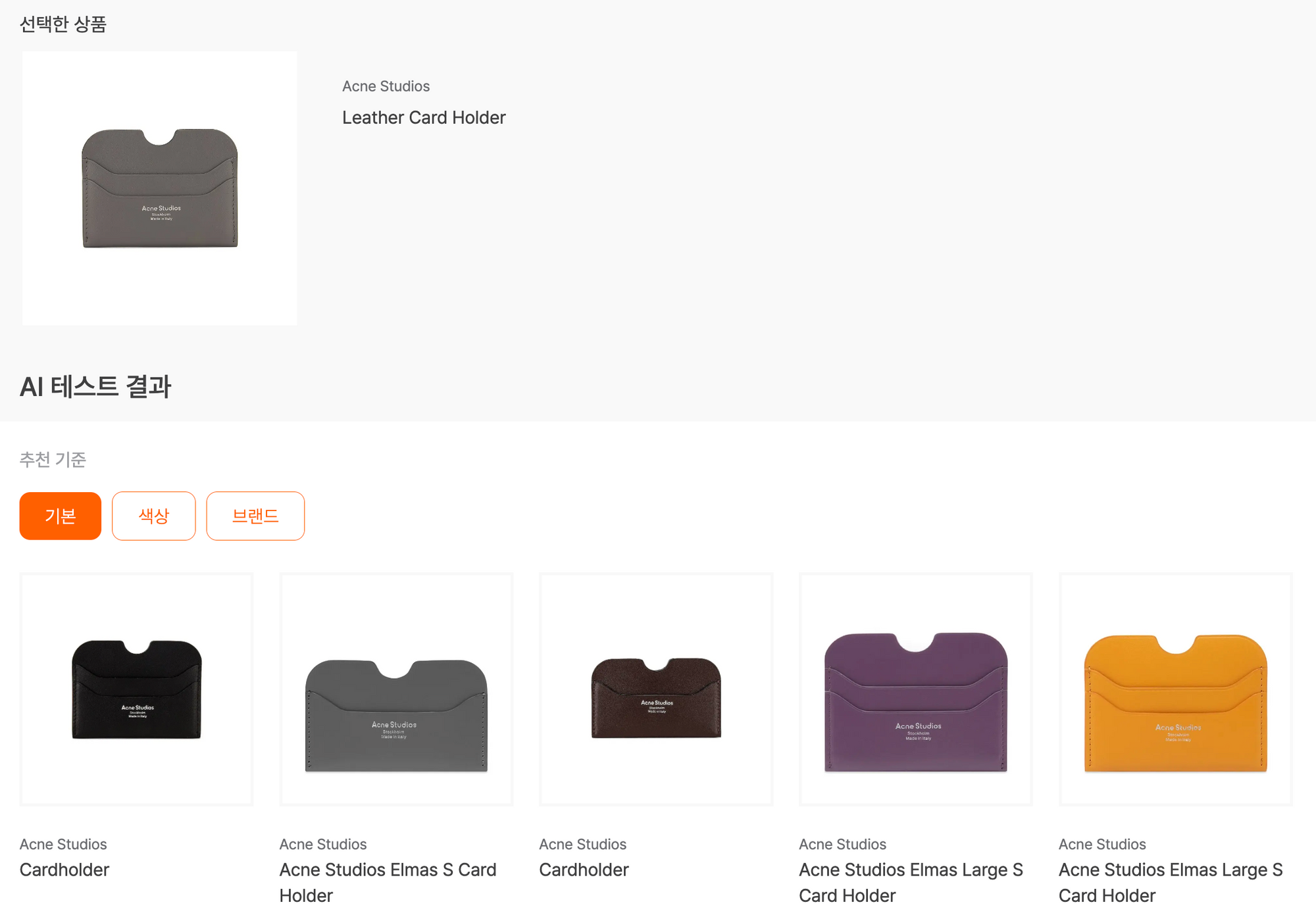
First, here are the demo test results of <Style Recommendation AI>.
It recommends wallets of a similar style, and you can also check results by color and by brand!
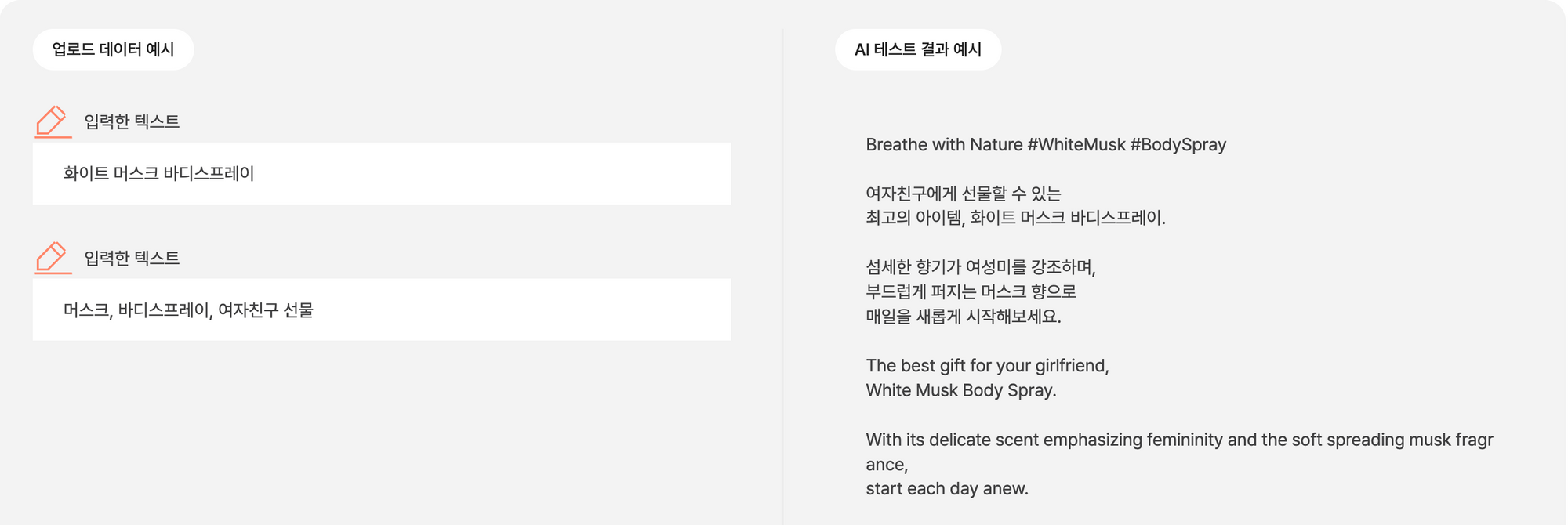
Next, here are the demo test results of <SNS Caption Generation AI>.
When you enter information about a product, it writes specific and natural SNS promotional copy in both Korean and English!
Oops! A popup is telling you that you need to sign up?
Next, let's learn about membership signup and the credit system.
Membership signup and the credit system
To test the AI demos, please sign upwith Dalpha!
With credits, you can try out a variety of AI yourself.
When you click the signup button, you can register as one of two types of member.
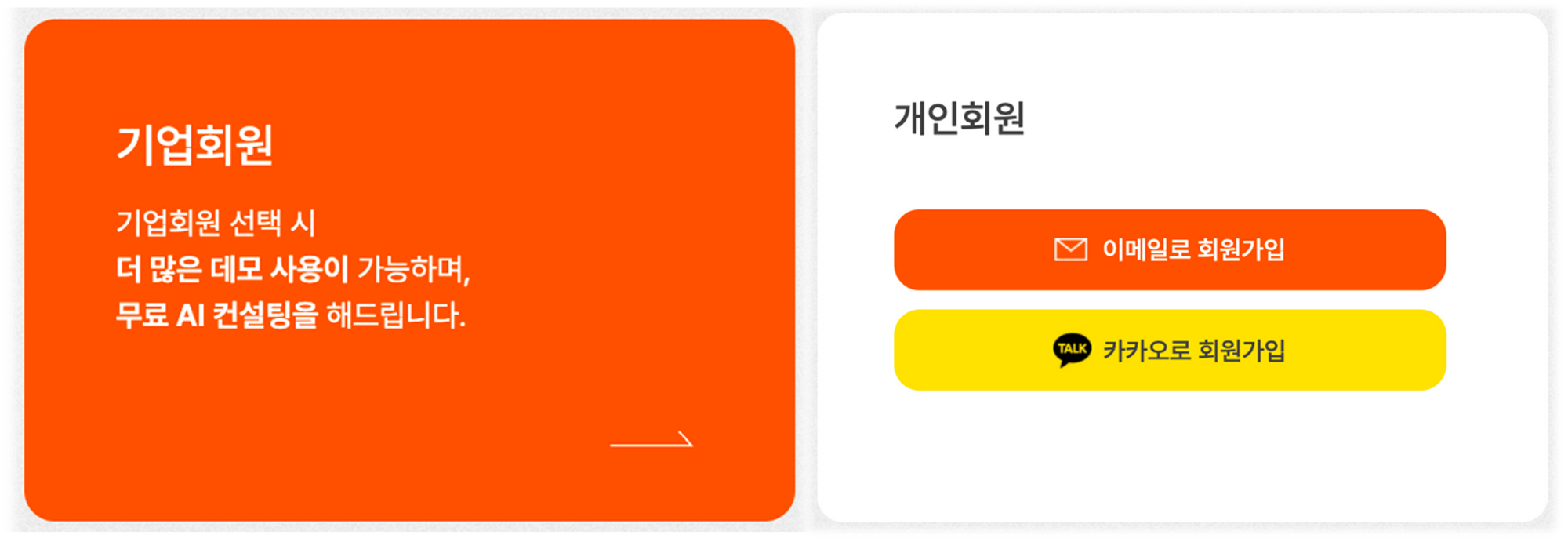
Are you part of a company?
Choose to sign up as a corporate member.
Not only can you use more demos,
we also offer free consultation for AI adoption.
Are you an individual member?
Sign up by email or with Kakao.
Unfortunately, the number of demo uses is limited ?
The credit system
Currently, the AI Store runs on a credit system to prevent indiscriminate AI calls.
Basic credits are provided as shown below—so how can you receive more credits?
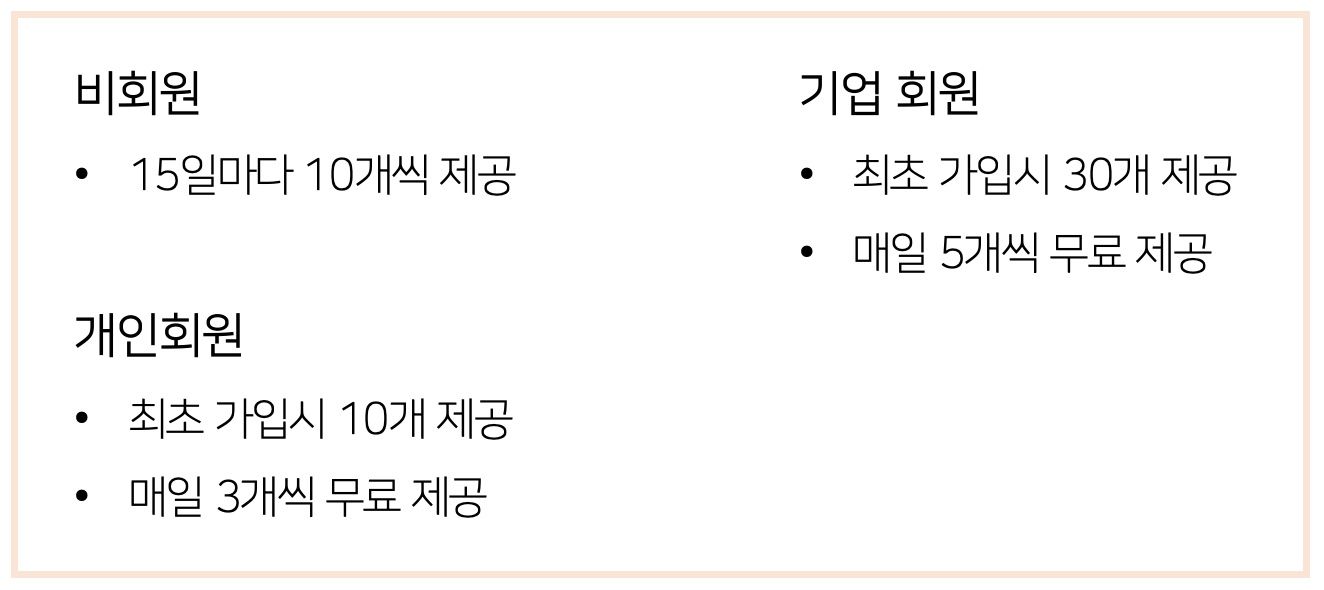
But you're saying the credits are too few?
To allow more testing, we'll give you additional credits. Please refer to the information below!
Get additional credits
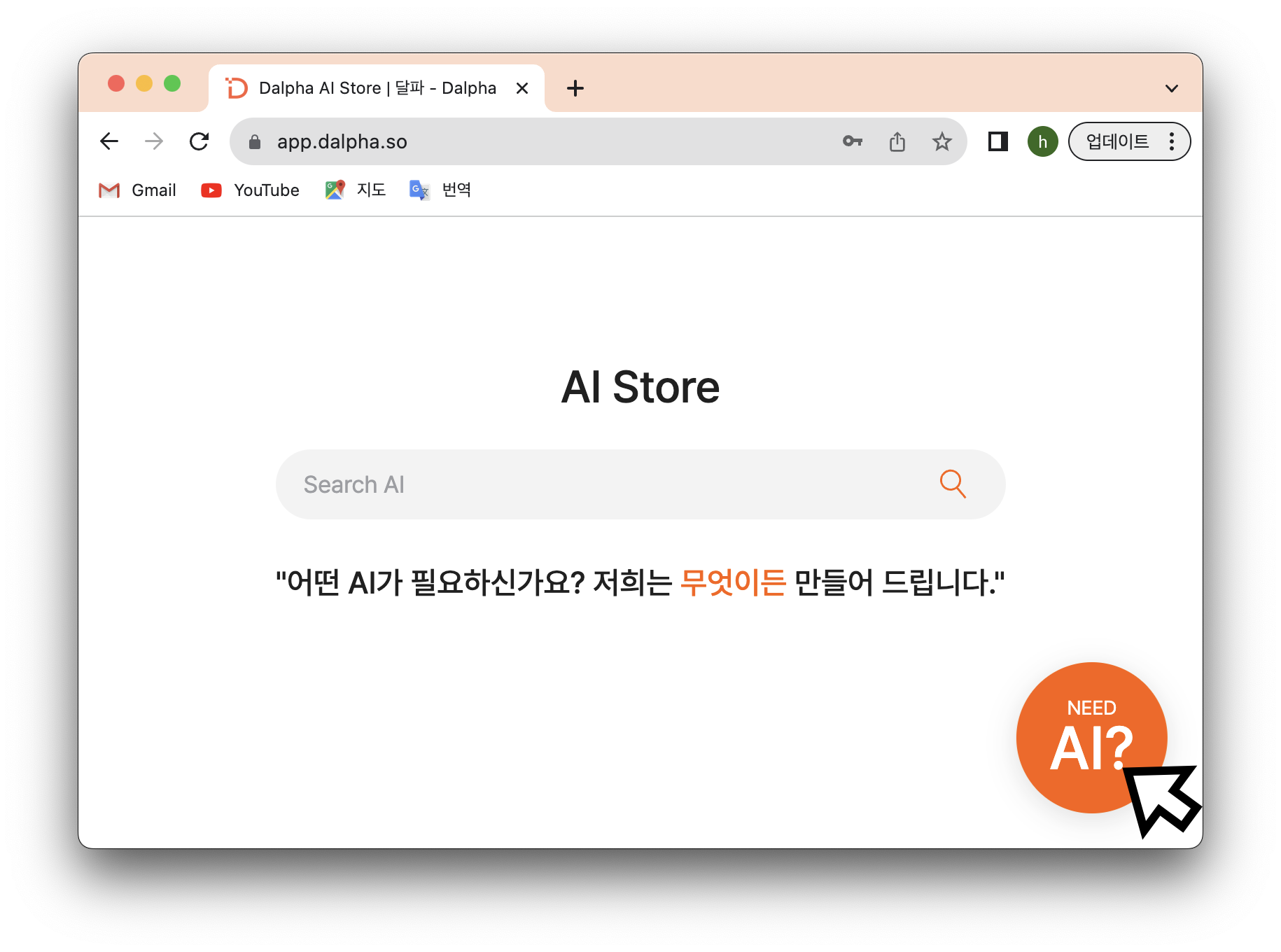
Credits are currently limited to a small number, but we provide extra for Dalpha members who want to use more AI ?
Click the orange circle button at the bottom right of the screen. If you request a credit grant in your inquiry, we'll provide additional credits.
On top of that, if you have any questions while using the demos, feel free to reach out anytime!
Adopting AI at your company
Have you tested the AI enough by now?
Want to use AI at your own company? Adopt it right now!
Many of Dalpha's members are actually bringing AI into their work and putting it to use.
Dalpha's AI is provided easily, quickly, and affordably so you can get the best AI experience. ?
We provide everything, including AI demo testing, for free, within two weeks.
From here, let's look at how to adopt AI in each of the two cases below!
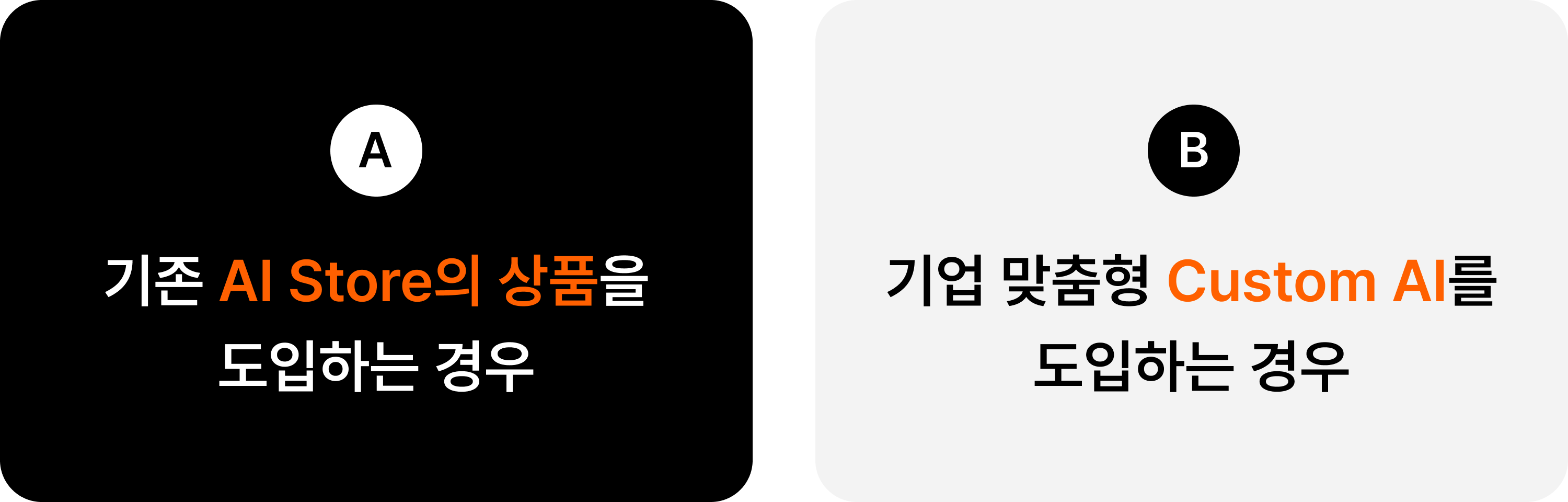
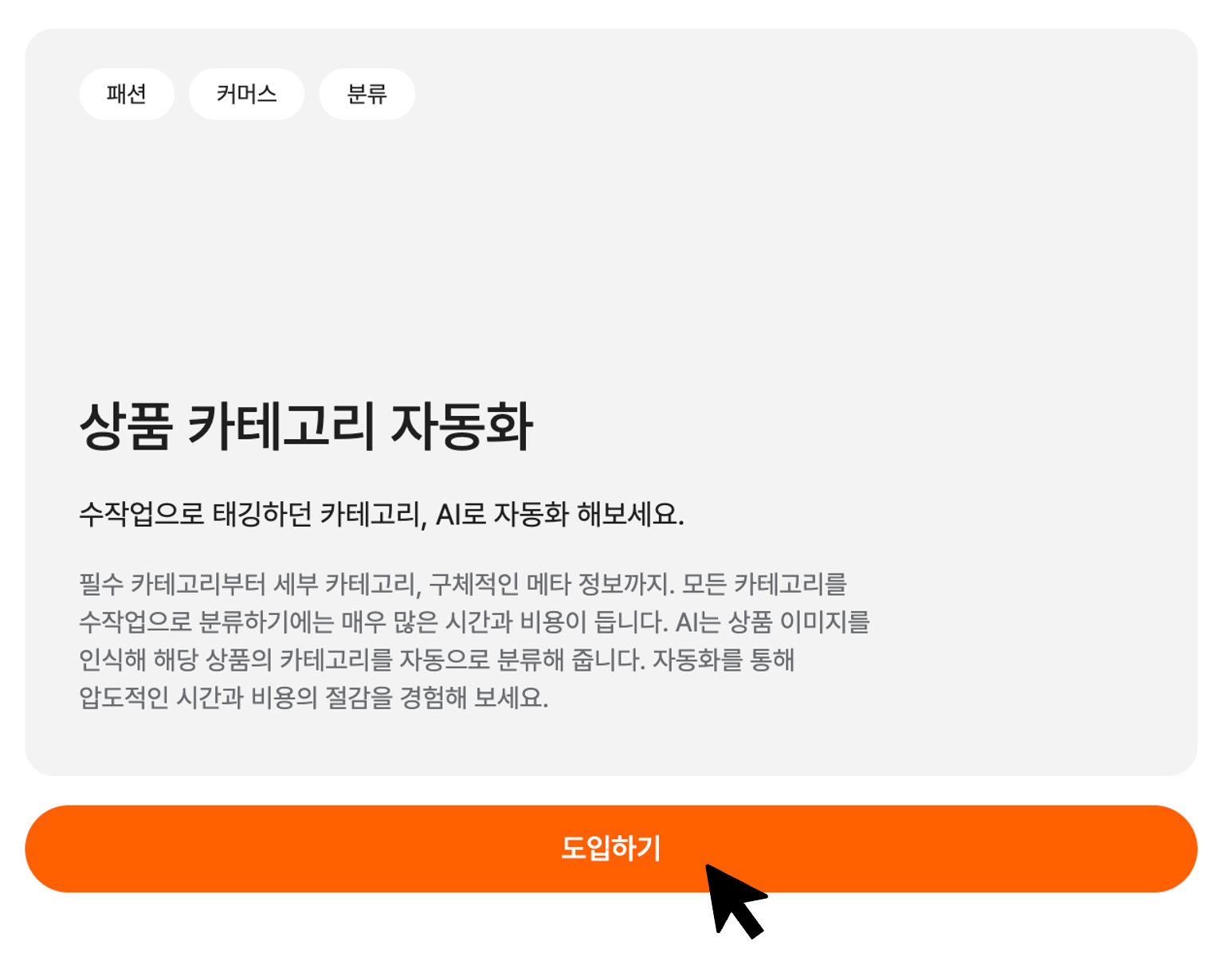
A. Adopting an existing AI Store product
Want to adopt an existing AI Store product?
On the product detail page, click the 'Adopt' button.
For existing AI products, after the AI optimization and deployment steps,
we help you put it into actual use within your company in just one week.
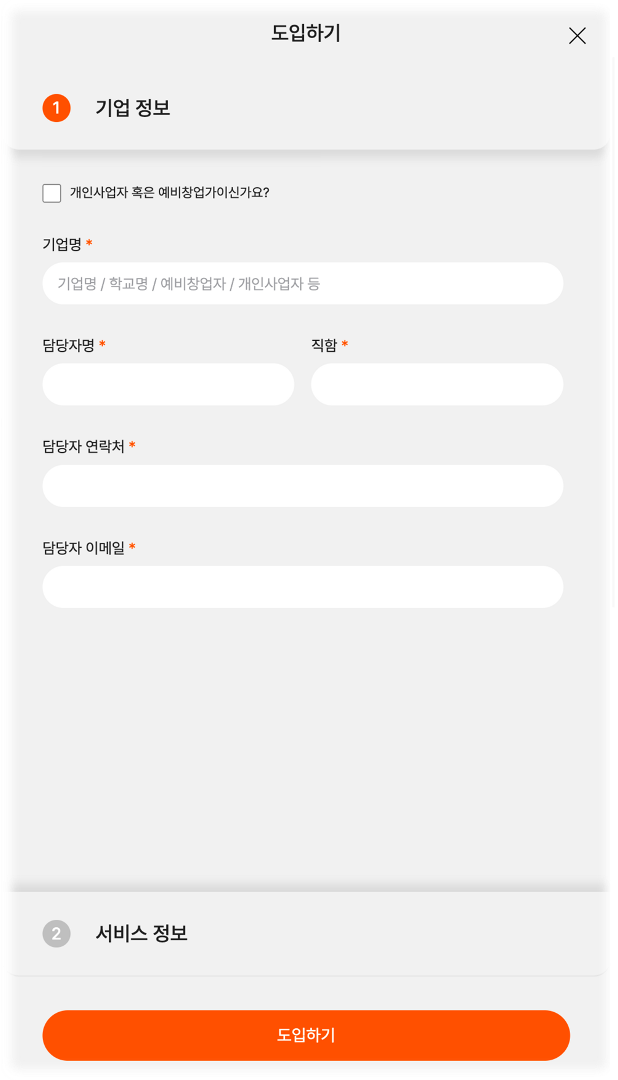
Apply like this!
Enter your company information and service information, and Dalpha's technical support team will support a fast adoption.
Company information : company name, contact person's name, title, phone number, email
Service information : service name, operating status, desired adoption timing, additional features
B. Adopting a company-tailored Custom AI
Can't find the AI product you want in the AI Store?
Don't worry—Dalpha builds custom AI for any field.
Custom AI is created through the steps below, and we provide all of this within three weeks.
On top of that, everything up through the AI testing process is done for free, so be sure to reach out!
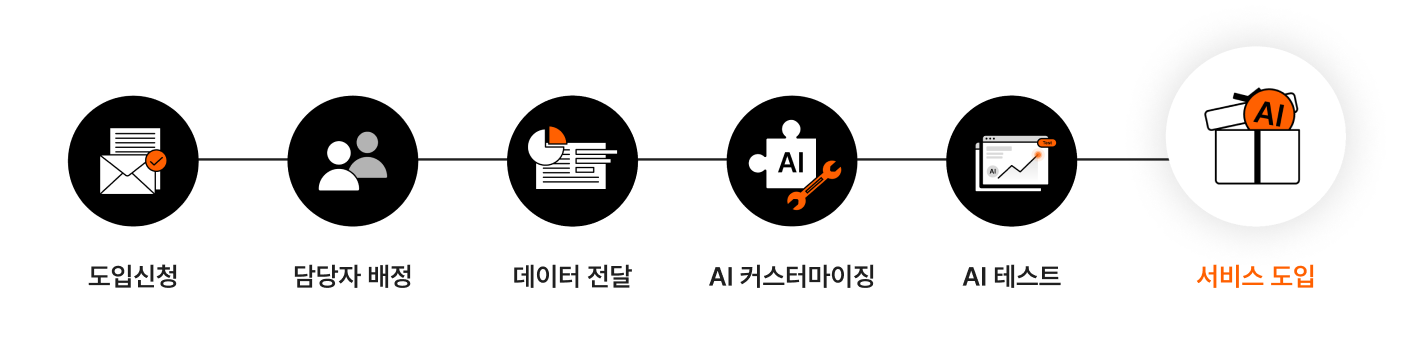
In the next blog post, we'll take a more detailed look at the process of adopting a company-tailored AI. Please stay tuned ??
Dogyun Kim